Factory QA use case
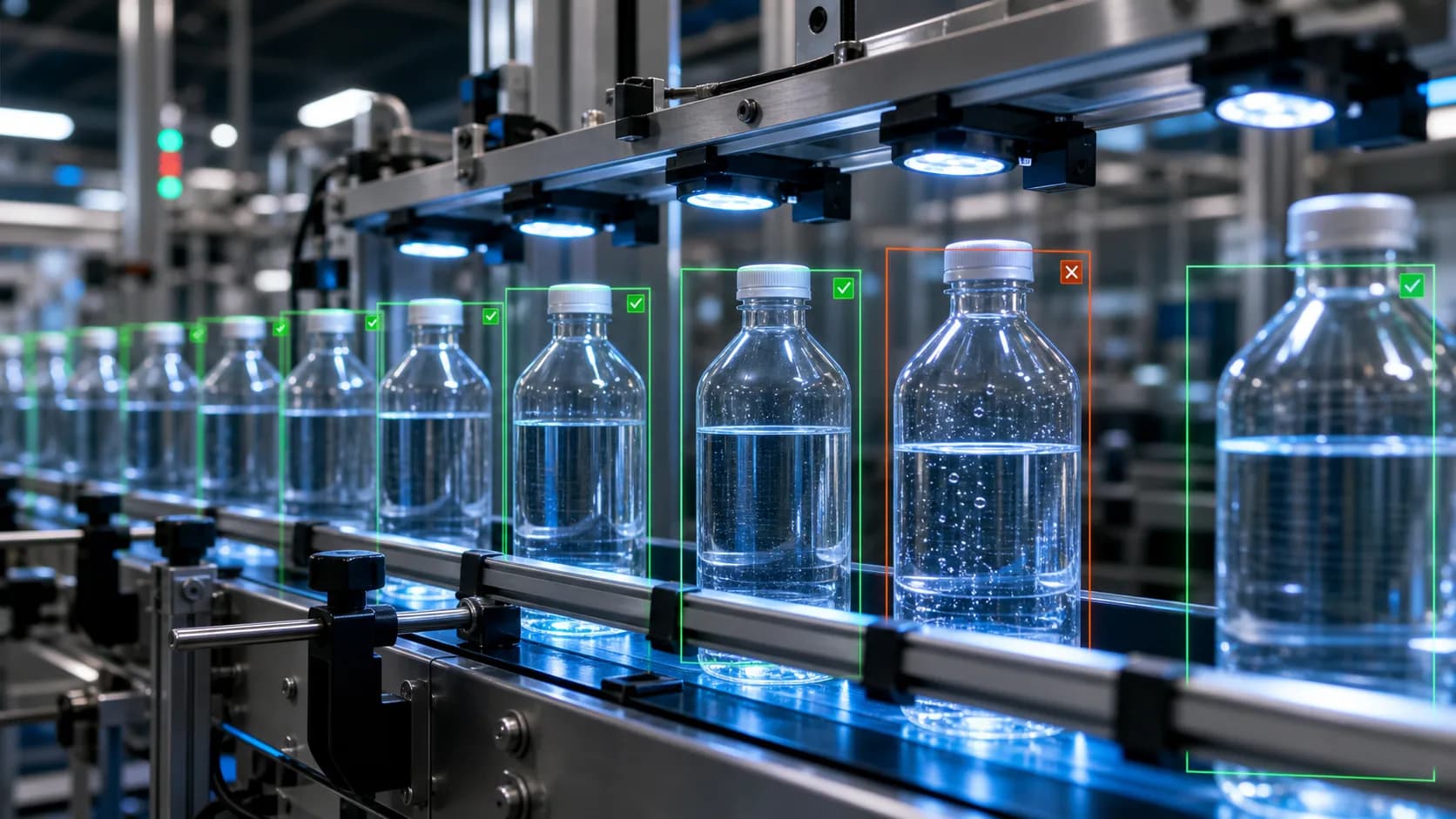
Bottle fill and cap QA
Bottle fill and cap QA for teams reviewing line footage for underfills, overfills, missing caps, crooked caps, seal issues, label shifts, and other visible bottling defects.
Workflow guide
How this use case fits into a repeatable video review process.
Bottle fill and cap QA helps beverage, chemical, and CPG teams review line footage for visible issues that can be missed during manual spot checks. The workflow flags suspected underfills, overfills, missing caps, crooked caps, broken seals, label shifts, and packaging anomalies.
VidScanner attaches evidence to each finding so a reviewer can check the exact frame instead of relying on a summary. That is useful when investigating complaints, validating a sample run, or preparing quality documentation.
The strongest results come from fixed cameras with clear views of the bottle neck, fill line, cap, and label. If those details are hidden by glare or motion blur, the app should be treated as a triage aid rather than a final inspection authority.
Sample input
bottling-line footage where fill level, cap state, seal, and label position are visible
Sample output
bottle QA findings grouped by fill, cap, seal, label, severity, confidence, timestamp, screenshot, and suggested action
Enterprise fit
Best fit
Batch review, inspection pilots, customer complaint evidence, supplier dispute review, quality audits, and early realtime camera pilots where the video clearly shows the product standard.
Operational boundary
Use Factory QA and Realtime QA as evidence and alert review layers before final disposition. PLC control, calibrated high-speed tracking, and automated line shutdowns require a dedicated machine-vision deployment.
How it works
- Upload bottling footage from the affected line, batch, or sample run
- Define acceptable fill, cap, seal, and label criteria
- Run Factory QA to flag visible bottling exceptions
- Review screenshot evidence and timestamps
- Export findings for quality logs or customer complaint records
Tips for this workflow
Review checklist
FAQ
Can this replace an inline vision system?
No. VidScanner supports uploaded-footage review and connected-camera sampling for human-reviewed QA events, but it is not a PLC-connected line-stop or validated high-speed rejection system.
What makes the output useful for QA teams?
Each finding includes a timestamp, screenshot, defect type, severity, confidence, rule reference, and suggested disposition so a QA owner can verify the issue against source video.
What kind of footage works best?
Fixed-camera footage from a line, inspection station, packaging area, or controlled sample run works best. Close framing and stable lighting usually matter more than cinematic quality.