Realtime camera QA
Realtime QA: Connect camera feeds and turn live production samples into reviewable QA events.
Connect a browser camera, edge agent, or RTSP-backed factory camera and sample production footage against your visible product standards. Realtime QA creates timestamped events with screenshots, confidence, severity, and reviewer disposition so quality teams can monitor lines continuously without manually watching every feed. Current scope: camera registration, secure edge-agent tokens, sampled frame ingestion, usage metering, and human-reviewed QA events. It is built for operational alerting and review, not PLC-connected line-stop automation or validated high-speed rejection control.
Built for VPs of Quality, plant managers, operations directors, continuous improvement teams, packaging teams, and camera integrators supporting manufacturing sites.
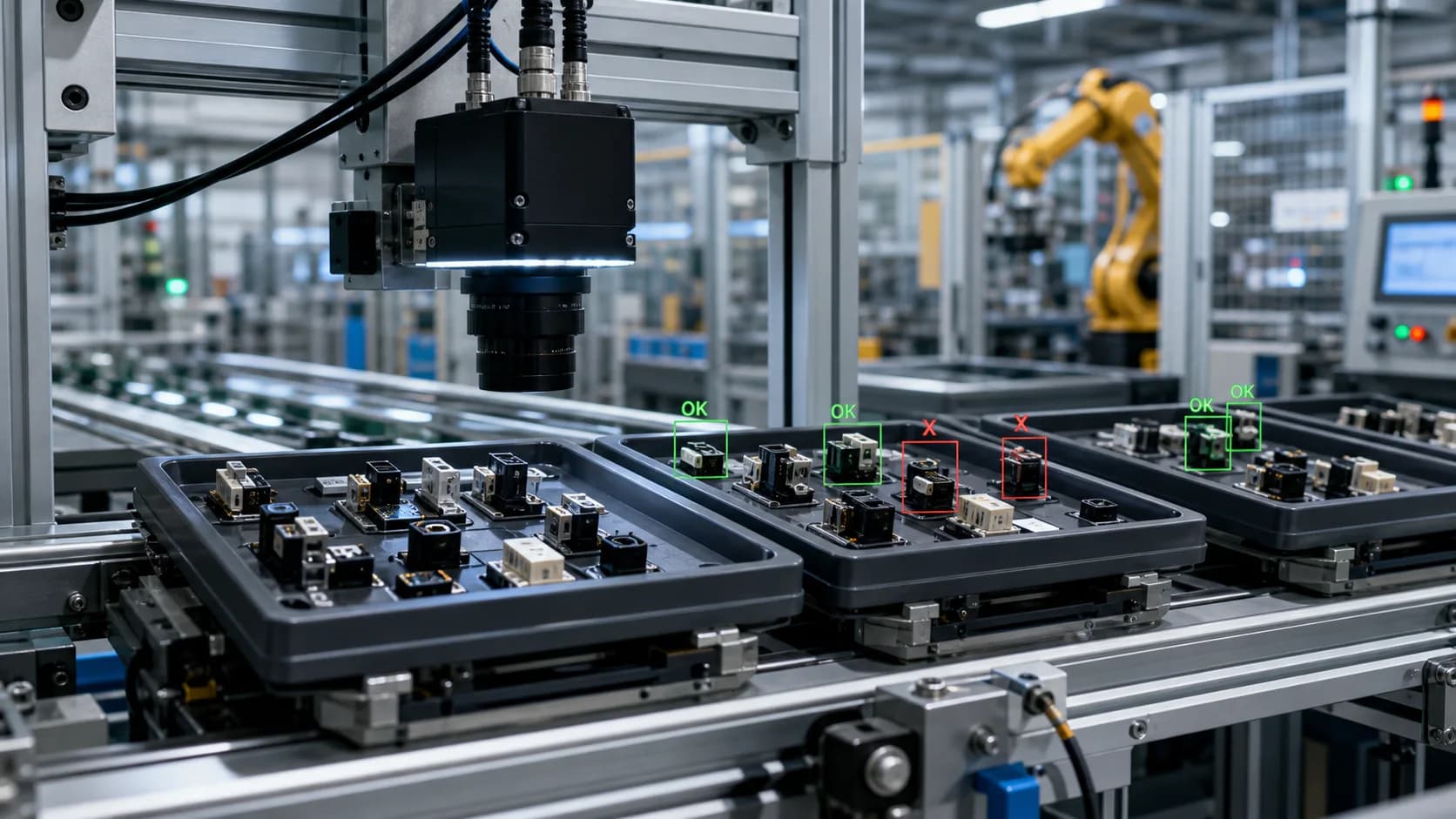
Sample output
Live line exception queue
Workflow fit
Built for teams that need evidence, not just summaries.
VidScanner Realtime QA is for teams that want a practical way to connect production cameras, sample frames, and review likely QA issues without manually watching every feed. Each camera can be tied to a product, line, site, sampling interval, and written standard.
The workflow starts with a secure edge agent or browser camera demo, then writes sampled frames to VidScanner storage and creates reviewable events when the feed appears to violate the standard. The event includes timestamp, screenshot evidence, severity, confidence, and disposition controls.
Realtime QA is built for monitoring, triage, and human-reviewed operational alerts. It is not positioned as a calibrated PLC controller, automated rejection system, or validated replacement for a dedicated high-speed machine-vision deployment.
Connected camera workflow
Built for plants that need continuous video QA without watching every feed.
Realtime QA turns connected camera samples into reviewable events, while keeping capacity, storage, indexed minutes, and overages visible for teams that monitor recurring production footage.
Connect cameras through an edge agent
Register a plant-side agent, rotate scoped tokens, and connect browser or RTSP-backed camera sources to the workspace.
- Scoped edge-agent tokens shown once and safely hashed
- Camera status, heartbeat, source type, and sampling interval
- Works for pilot stations before broader camera rollout
Monitor against product standards
Define the good output, defect taxonomy, severity rules, and sensitivity level each camera should use.
- Line, product, and camera-specific QA standards
- Good, major defect, minor defect, and uncertain-case descriptions
- Human review for confirm, false positive, ignore, or needs-review outcomes
Meter video volume from day one
Connected camera feeds can create a lot of footage, so sampled frames are gated and metered before upload and indexing.
- Storage and indexed-minute usage counted with existing plan caps
- Overage visibility in billing for paid plans
- Designed to scale pilots without silent cost leakage
Enterprise pilot checklist
What to upload
A connected camera feed plus product standards and sampling rules.
- Browser camera demo from a pilot station
- RTSP camera connected through a VidScanner edge agent
- Packaging, bottling, food, or assembly checkpoint feed
- Fixed security or line camera used for recurring QA review
What you get
A live QA event queue with screenshots, timestamps, confidence, severity, and metered usage.
- Active camera and edge-agent status
- QA standards by line, product, and defect taxonomy
- Frame samples counted toward indexed-minute and storage usage
- Open QA events with screenshot evidence and reviewer disposition
- Usage visibility for storage, indexed minutes, and overages
Exports
- Review queue records
- CSV or JSON exports where available through QA workflows
Common realtime qa workflows
Realtime camera QA monitoring
Use VidScanner Realtime QA to turn source footage into a structured result with timestamps, screenshots, and reviewable evidence for this workflow.
Read workflowRTSP factory camera inspection
Use VidScanner Realtime QA to turn source footage into a structured result with timestamps, screenshots, and reviewable evidence for this workflow.
Read workflowLive packaging line quality alerts
Use VidScanner Realtime QA to turn source footage into a structured result with timestamps, screenshots, and reviewable evidence for this workflow.
Read workflowEdge camera defect review
Use VidScanner Realtime QA to turn source footage into a structured result with timestamps, screenshots, and reviewable evidence for this workflow.
Read workflowManufacturing overage metering for video QA
Use VidScanner Realtime QA to turn source footage into a structured result with timestamps, screenshots, and reviewable evidence for this workflow.
Read workflowTips for better results
Questions teams ask
What cameras can Realtime QA connect to?
The workflow supports browser-camera demos and edge-agent camera sources, including RTSP-backed cameras connected through the agent. The best inputs are fixed cameras with stable lighting and a clear view of the product feature being checked.
How is realtime usage billed?
Sampled frames and clips count toward storage and indexed-minute usage. Paid plans include capacity, and overages apply when a workspace exceeds its plan limits.
Can Realtime QA stop a production line automatically?
No. Realtime QA creates a reviewable exception queue for operators and QA teams. PLC integration, automatic line stops, and validated rejection control require a dedicated machine-vision deployment.
Can we test it before connecting factory cameras?
Yes. Teams can start with a browser-camera demo or short pilot feed, define product standards, and verify event quality before connecting production cameras.