Enterprise manufacturing video QA
Factory QA: Flag visible production defects from manufacturing-line footage.
Upload fixed-camera factory footage, define what good output should look like, and get a timestamped QA report. Factory QA reviews sampled frames against your product standard and flags visible defects such as missing caps, broken or malformed items, label misalignment, underfills, overfills, contamination, packaging problems, and uncertain cases that need human review. It is built for batch review and exception detection, not machine-control shutdowns. For recurring camera monitoring, use Realtime QA to connect browser or edge-agent camera sources, sample frames, and meter usage. PLC integration, camera calibration, and high-speed object tracking remain outside the current product scope.
Built for VPs of Quality, operations directors, plant managers, continuous improvement teams, food and beverage QA, packaging teams, and industrial manufacturing operators.
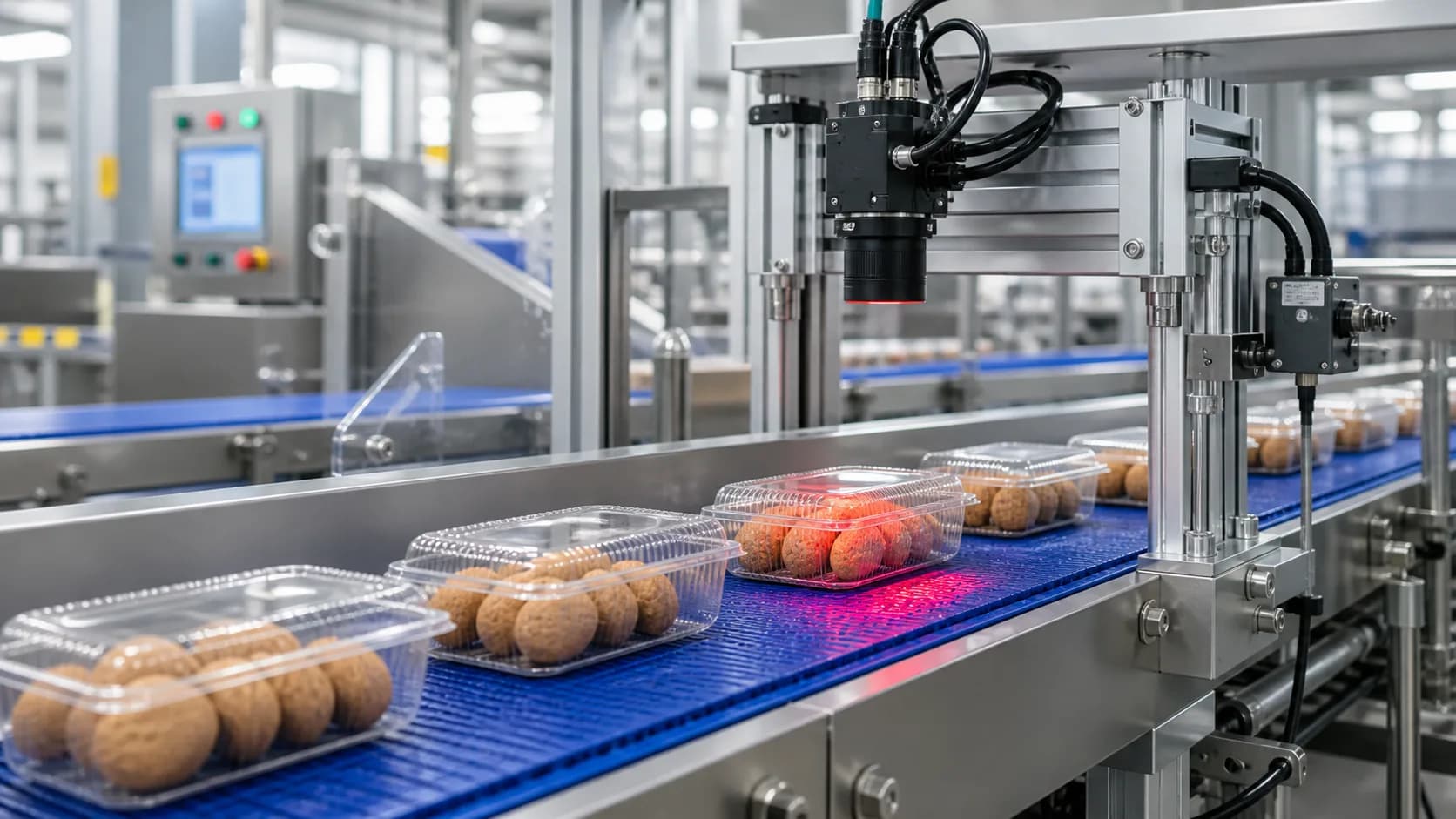
Sample output
Production-line defect report
Workflow fit
Built for teams that need evidence, not just summaries.
VidScanner Factory QA is built for teams that already capture production-line footage but still rely on manual review when a batch, complaint, audit, or quality event needs evidence. Upload fixed-camera clips, define the expected product standard, and get a timestamped inspection queue instead of a long video scrub.
The app works best as an evidence-first QA triage layer. It reviews sampled frames, flags visible exceptions, attaches screenshots and timestamps, and keeps the final disposition in human hands. That makes it useful for batch review, supplier disputes, customer complaints, continuous improvement studies, and pre-automation pilots.
For teams that need recurring camera monitoring, VidScanner Realtime QA extends the same standards into connected camera feeds with secure edge-agent tokens, sampled-frame ingestion, usage metering, and a live exception queue. Factory QA remains the file-based workflow for existing clips and audit evidence.
Enterprise QA workflow
Designed for quality leaders evaluating video-based inspection at scale.
Factory QA gives manufacturing teams a practical path between manual clip review and a full production vision program: use existing video, define visible standards, triage exceptions, export evidence, and graduate strong pilots into Realtime QA camera monitoring when the line is ready.
Use existing production footage
Start with fixed-camera exports from line cameras, VMS systems, mobile inspection recordings, or archived clips from a quality event.
- No custom camera calibration required for the first pilot
- Works with bottling, food, packaging, parts, and assembly footage
- Supports batch review when source video already exists
Make defect criteria explicit
The reviewer defines what acceptable output should look like, then the inspection report references those rules when it flags a finding.
- Caps, seals, fills, labels, damage, deformation, and contamination
- Severity, confidence, disposition, and suggested next action
- Uncertain cases stay visible instead of being hidden in a pass/fail result
Keep evidence tied to the source video
Every finding is attached to a timestamp and screenshot so a QA lead, supervisor, or process engineer can verify the result.
- Reviewable findings instead of black-box summaries
- Exportable JSON and CSV for quality logs and analysis
- Useful for audits, customer complaints, and continuous improvement reviews
Enterprise pilot checklist
What to upload
Fixed-camera production-line footage plus a product standard.
- Bottle fill / cap / label footage
- Cookie, donut, or packaged-food line footage
- Machined parts moving past a quality checkpoint
- Packaging line footage with boxes, seals, or labels visible
What you get
A timestamped defect report with screenshots, severity, confidence, and disposition.
- Inspection summary and line state
- Pass-rate estimate and observed unit count
- Per-finding defect type, severity, confidence, and disposition
- Evidence text, screenshot, timestamp, rule reference, and suggested action
Exports
- JSON (full inspection report)
- CSV (flat findings table for QA spreadsheets)
Common factory qa workflows
Manufacturing video inspection software
Use VidScanner Factory QA to turn source footage into a structured result with timestamps, screenshots, and reviewable evidence for this workflow.
Read workflowAI visual inspection for manufacturing
Use VidScanner Factory QA to turn source footage into a structured result with timestamps, screenshots, and reviewable evidence for this workflow.
Read workflowProduction line defect detection
Use VidScanner Factory QA to turn source footage into a structured result with timestamps, screenshots, and reviewable evidence for this workflow.
Read workflowBottle fill and cap QA
Use VidScanner Factory QA to turn source footage into a structured result with timestamps, screenshots, and reviewable evidence for this workflow.
Read workflowFood line defect detection
Use VidScanner Factory QA to turn source footage into a structured result with timestamps, screenshots, and reviewable evidence for this workflow.
Read workflowPackaging label inspection
Use VidScanner Factory QA to turn source footage into a structured result with timestamps, screenshots, and reviewable evidence for this workflow.
Read workflowAssembly line quality control video
Use VidScanner Factory QA to turn source footage into a structured result with timestamps, screenshots, and reviewable evidence for this workflow.
Read workflowFactory quality audit video review
Use VidScanner Factory QA to turn source footage into a structured result with timestamps, screenshots, and reviewable evidence for this workflow.
Read workflowCPG packaging quality inspection
Use VidScanner Factory QA to turn source footage into a structured result with timestamps, screenshots, and reviewable evidence for this workflow.
Read workflowBottling line video inspection
Use VidScanner Factory QA to turn source footage into a structured result with timestamps, screenshots, and reviewable evidence for this workflow.
Read workflowTips for better results
Related pages
Questions teams ask
Is Factory QA a real-time machine-vision system?
Factory QA is the uploaded-video inspection workflow. VidScanner also includes Realtime QA for connected camera sampling and live review queues, but neither product is a PLC-connected line-stop controller or validated high-speed rejection system.
Can we use footage from existing cameras?
Yes. The strongest inputs are fixed-camera exports from inspection stations, packaging lines, bottling lines, food lines, or assembly checkpoints where the target product is visible with stable lighting.
What standards can reviewers define?
Teams can describe acceptable shape, fill level, label position, cap or seal state, color, contamination concerns, packaging condition, and other visible criteria. Screenshots and rule references help reviewers verify each finding.
Can we try Factory QA before paying?
Yes. VidScanner supports a free account so quality and operations teams can test upload, review, search, and export workflows before choosing a paid plan.